
Windows · macOS

Legal Vault AI comes to your vault.

Search, analyze, and draft across thousands of case files — on your own machine.

Unlimited Local AI usage Documents and prompts stay local PII masked before Cloud AI
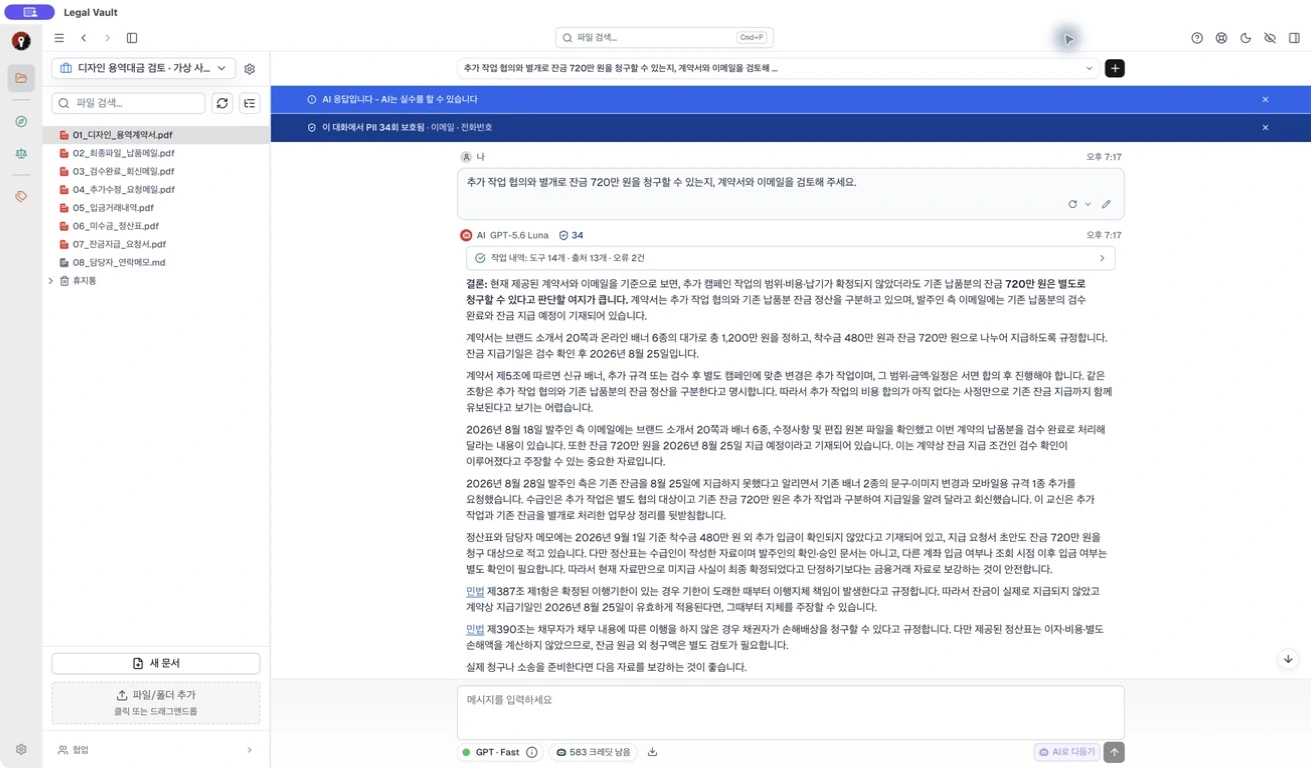
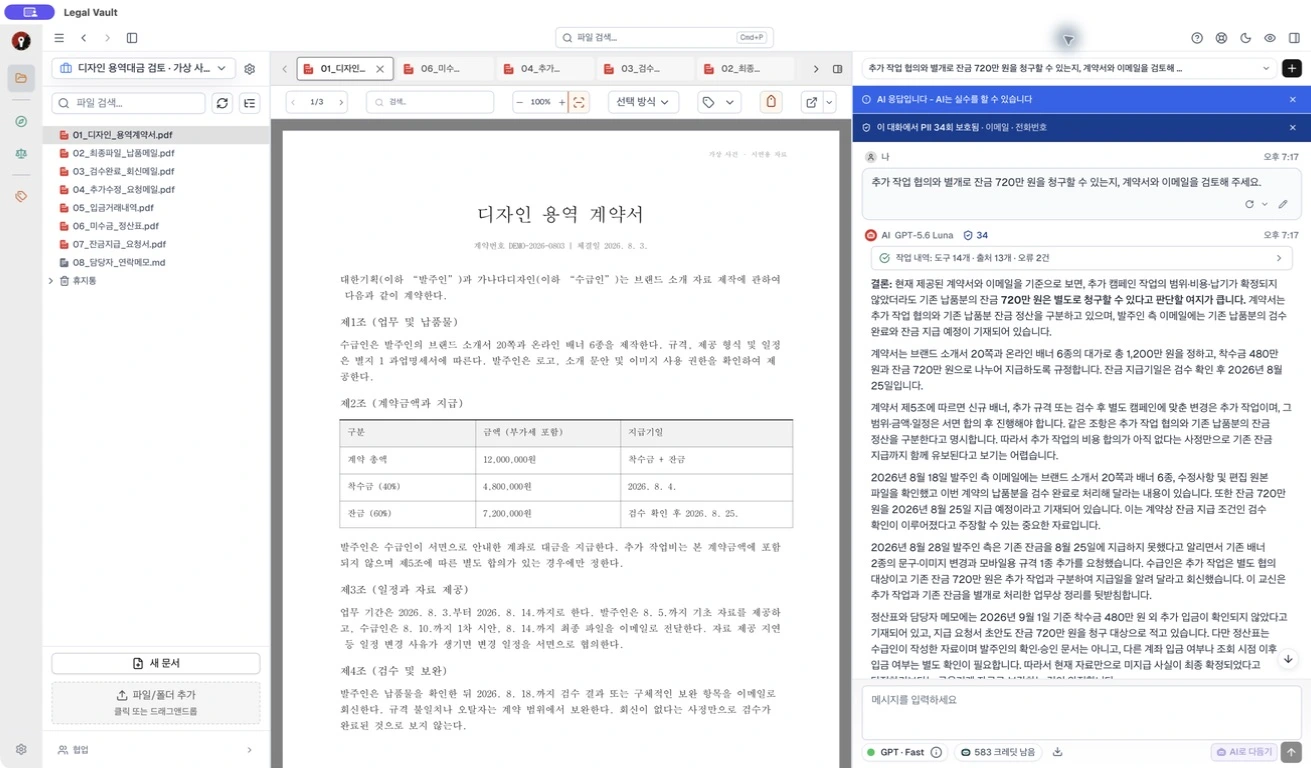
Legal Vault app workspace screen

Default work stays off our servers. Your documents stay on your computer.

Storage, search, and analysis run on your PC. Backup and sharing transfer files only when you explicitly choose them.

Other Cloud Services
PC
Cloud
AI

Files sent to external servers

Legal Vault
HDD
Index
AI

Local AI work never leaves your PC

Structural Security

Default work runs without server upload.

Document storage, search, and local AI analysis happen on your PC. With Local AI, documents and prompts are not sent to external servers, structurally reducing cloud-transfer security risk.

  • All documents stored locally on your PC
  • Local AI runs without external transfer to reduce security risk
  • Backup, sharing, and Cloud AI transfer require explicit consent
Local AI

Nothing leaves your PC.No usage limit anxiety.

Legal Vault's Local AI runs on your own computer. Documents and prompts are not sent to external servers, so external-transfer security risk is very low, and you can use the LLM repeatedly within your subscription without extra charges.

  • Documents and prompts do not leave your PC
  • Run repeatedly without usage-count or monthly quota caps
  • No extra charge for repeated LLM use within your subscription
  • AI Q&A works fully offline
  • Keep working locally without spending Cloud AI units
0 bytes
default external transfer for Local AI
Unlimited
usage count and monthly quota
₩0
extra Local AI charge within subscription
Local processing
Search, summarize, and ask questions on your PC without sending original documents or prompts to external servers.
Unlimited use
Local AI does not consume monthly Cloud AI units, so you can ask as many follow-up questions as the work requires.
Offline ready
For matters that need no external communication, keep working with the local model even without internet access.
Source Verification

AI shows the sources it used

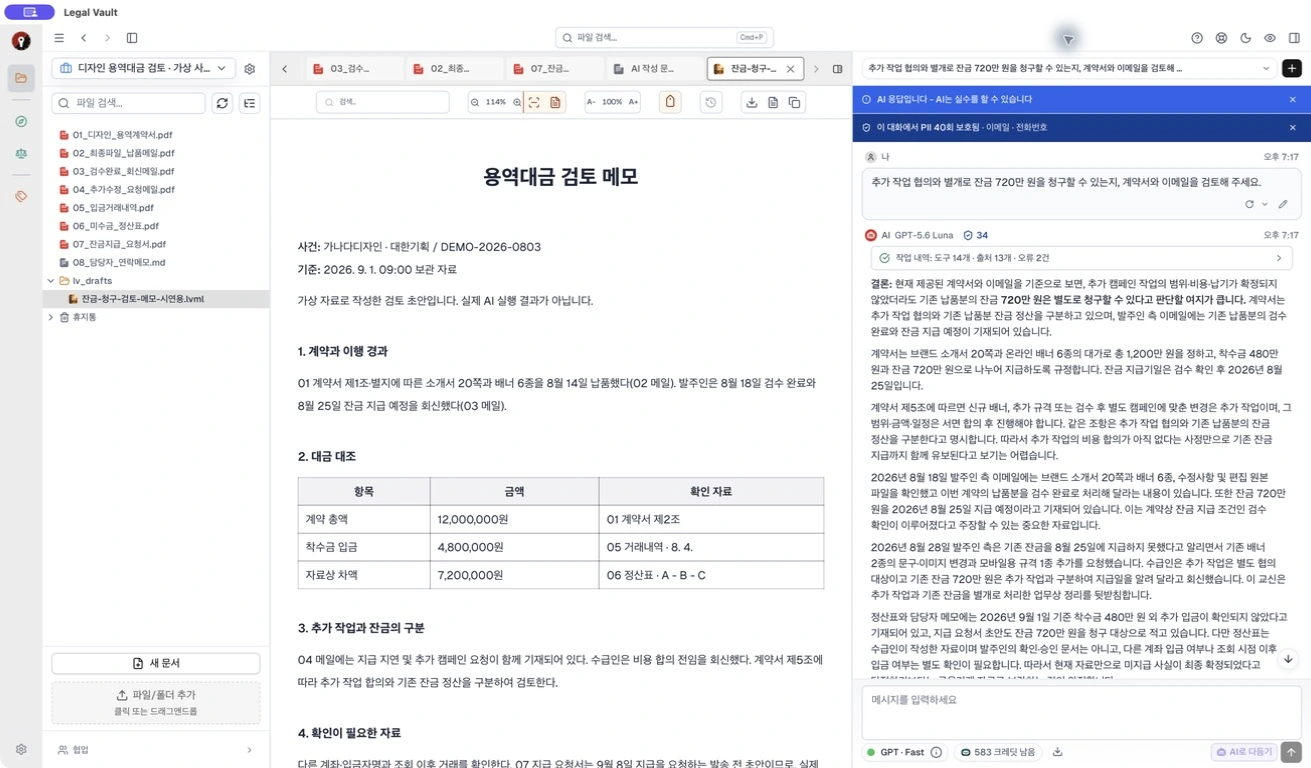
AI answers and document edits show the files, statutes, and cases they relied on. You can see which materials support the output and open the original source for direct review.

  • Show source files and source-use reasons with each answer
  • Use file names, page, and location metadata to open the original source
  • Designed so unsupported answers are not taken on trust
Legal Vault AI answer with source citations
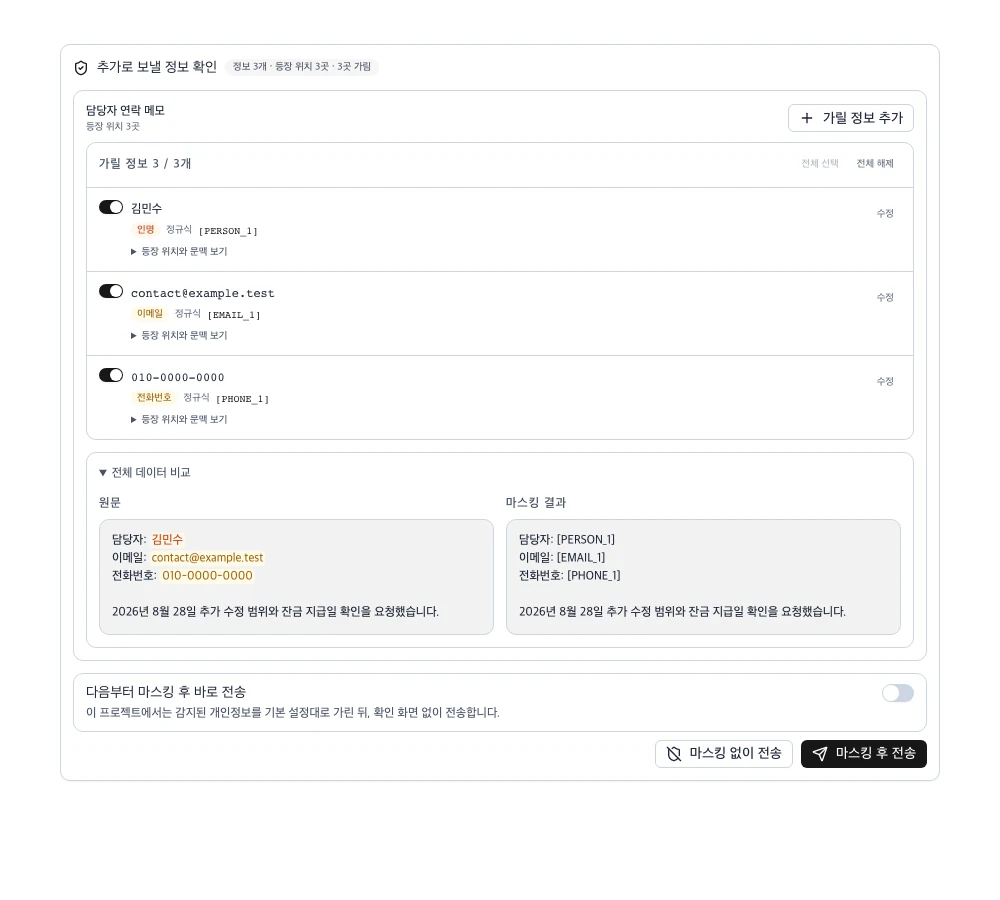
Legal Vault sensitive data masking review
Sensitive Data Protection

Review sensitive information before Cloud AI

When a task needs Cloud AI, Legal Vault detects likely personal data before anything is sent and lets you review the masked preview first, reducing sensitive-data exposure risk.

  • Flag likely sensitive data such as phone numbers before transfer
  • Compare the original and masked preview side by side
  • Send only the masked content the user approves to Cloud AI
Closed beta scope

Use verified AI, then protect sensitive data first

This section reflects the model selection and pre-transfer protection currently available in the closed beta.

AI model selection Gemini 3 family

Choose from verified Gemini 3 models

Legal Vault exposes only vetted Cloud AI models in beta. During the closed beta, users can select Gemini 3 family models.

  • Gemini 3.5 Flash
    Suited for fast Q&A and document exploration
    Beta
  • Gemini 3.1 Pro
    Suited for deeper legal document analysis and drafting
    Beta
Sensitive data protection Review before sending

Detect and mask before Cloud AI transfer

When you use Cloud AI, Legal Vault detects likely sensitive data such as ID numbers, phone numbers, addresses, and email addresses before anything is sent, then transfers only the masked content you confirm.

  1. 1 Automatic detection Documents and questions are scanned for likely personal data before transfer.
  2. 2 User review You review the masking preview and decide what can be sent.
  3. 3 Masked transfer The confirmed masked version is sent to Cloud AI instead of the original text.
  4. 4 No AI training Documents, queries, and conversations are not used to train AI models.

For matters that require full network isolation, keep Cloud AI disabled and work in offline mode.

Solo plans at a glance

During the closed beta, you can review the free trial and every Solo plan.

Free Trial

Preview Cloud AI and Local AI before subscribing.

₩0 7 days
  • 50 Gemini 3 Cloud AI units
  • Local AI download and runtime
  • No credit card needed
Recommended

Solo Local AI

Local AI Only

Runs entirely on your PC without internet. Check the recommended computer specs before subscribing.

₩69,900 /mo
  • Unlimited Local AI usage
  • No extra charge within subscription
  • No Cloud AI
Recommended

Solo Cloud AI

Cloud AI Only

Powerful legal analysis with Gemini 3 Cloud AI — no high-end machine required.

₩79,900 /mo
  • No Local AI
  • 600 Cloud AI units/month
  • Gemini 3 Cloud AI

Solo Dual AI

Local AI Cloud AI

Runs Local AI on your PC and includes Gemini 3 Cloud AI. Check the recommended computer specs before subscribing.

₩109,900 /mo
  • Unlimited Local AI usage
  • No extra Local AI charge within subscription
  • 800 Cloud AI units/month
  • Gemini 3 Cloud AI

Frequently asked questions

Are my documents sent to external servers?
No. All documents and indexes stay on your PC. Local AI prompts are not sent to external servers either. Cloud features are disabled by default and require explicit consent before transfer.
Can I use it without internet?
Yes. Local AI models enable search and Q&A offline. Only cloud AI (Claude) and statute lookup features require internet.
Is my data safe when using cloud AI?
When using Cloud AI, Legal Vault does not send the original text unchanged. It detects likely personal information, shows a masking preview, and sends only the masked content you confirm, reducing sensitive-data exposure risk.
What file formats are supported?
PDF, DOCX, HWP/HWPX, XLSX, PPTX, RTF, HTML, CSV, TXT, EPUB, and more — over 15 formats. Scanned PDFs are processed with OCR.

Get started for free

Install and start using immediately. No account or payment required.

Version 0.0.7 · closed-beta

Installed on your PC. Runs on your PC.