Reviewing tax adjustment records
Find the relevant lines in invoices and ledgers and read them side by side.
Legal Vault
Ask your work files, check available sources in the original, and prepare a draft.
Mac (Apple Silicon) · Windows · AI answers need an internet connection and your consent to send
Cloud AI试用:直到积分用完 · 50 积分。需要账户,无需信用卡。
01Connect a folder
Connect a folder on your PC, find what you need and open the original. Viewing and search support varies by file type.
02Ask and answer
Ask about your files and open available file, page or statute references to review the answer yourself.
03Write a draft
Prepare a draft from your work materials and review and revise the AI suggestions. Check important details and sources in the original.
04Check before sending
Cloud AI sends necessary content externally. Review the transmission scope and personal information detected and masked on your device.
Find the relevant lines in invoices and ledgers and read them side by side.
Find the clauses and write a review memo with their sources.
Collect the facts from your files and carry them into a draft.
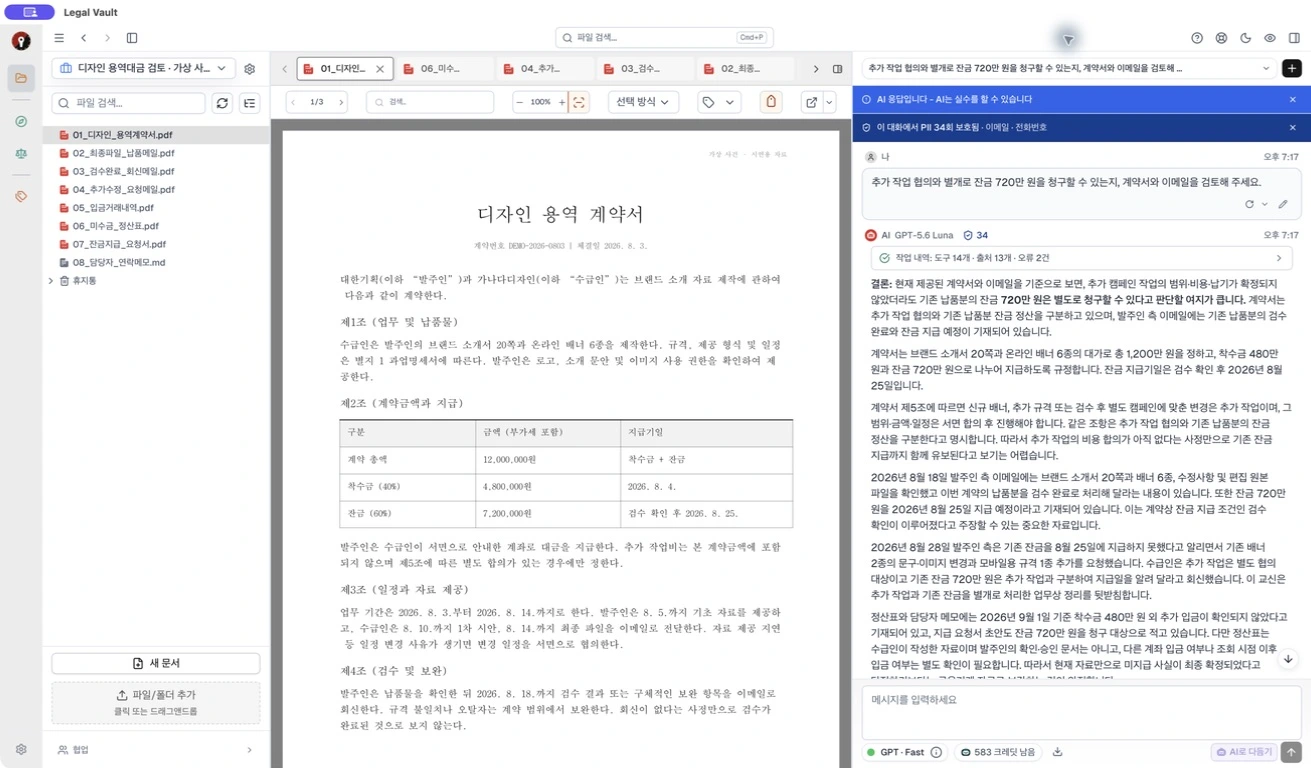
连接案件文件夹后,AI会基于资料、当事人和目标作答并撰写初稿。每个回答都附有依据。
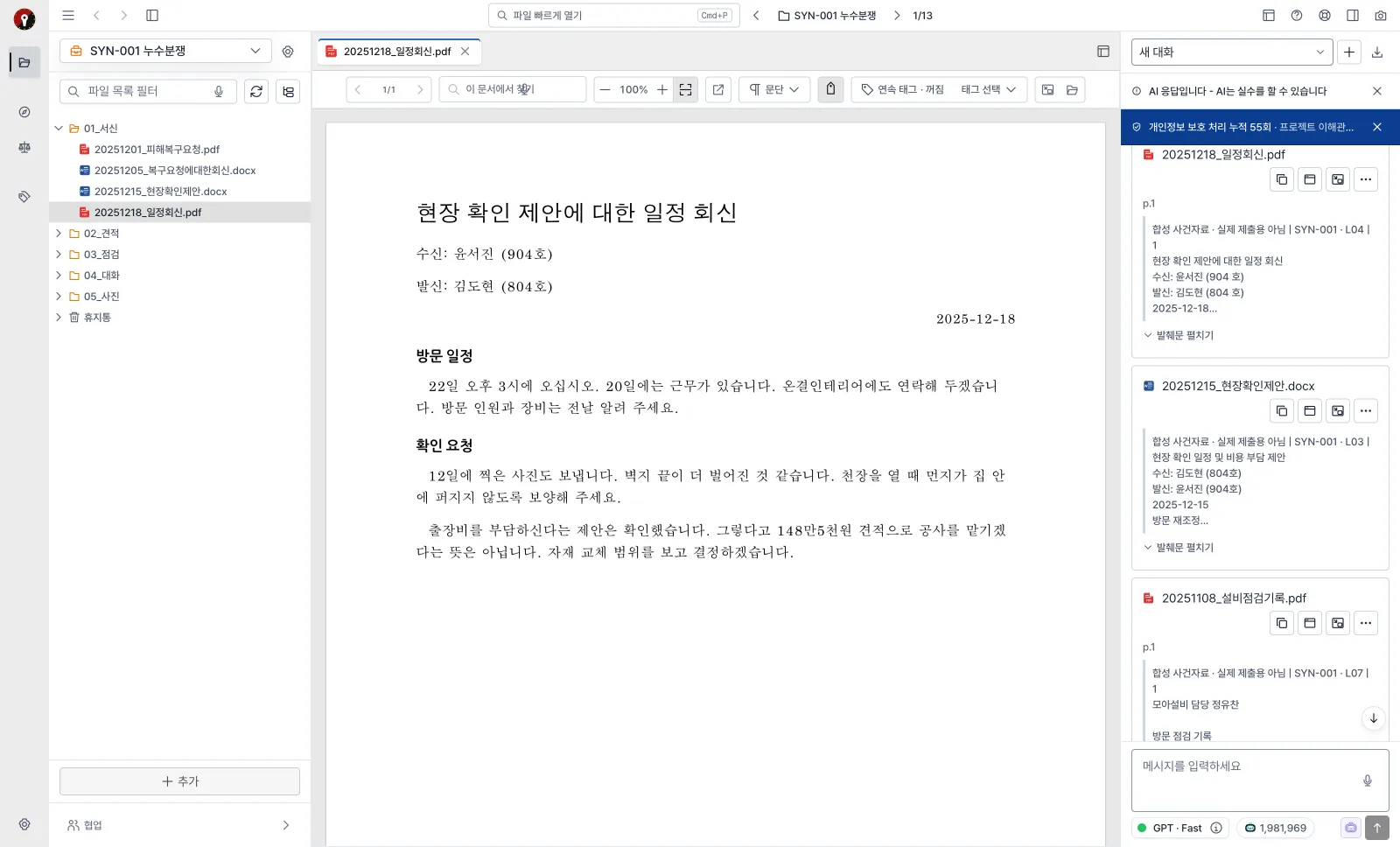
每个回答都附有所参考的文件、页码和法规卡片。点击卡片即可直接打开原文中的对应位置。
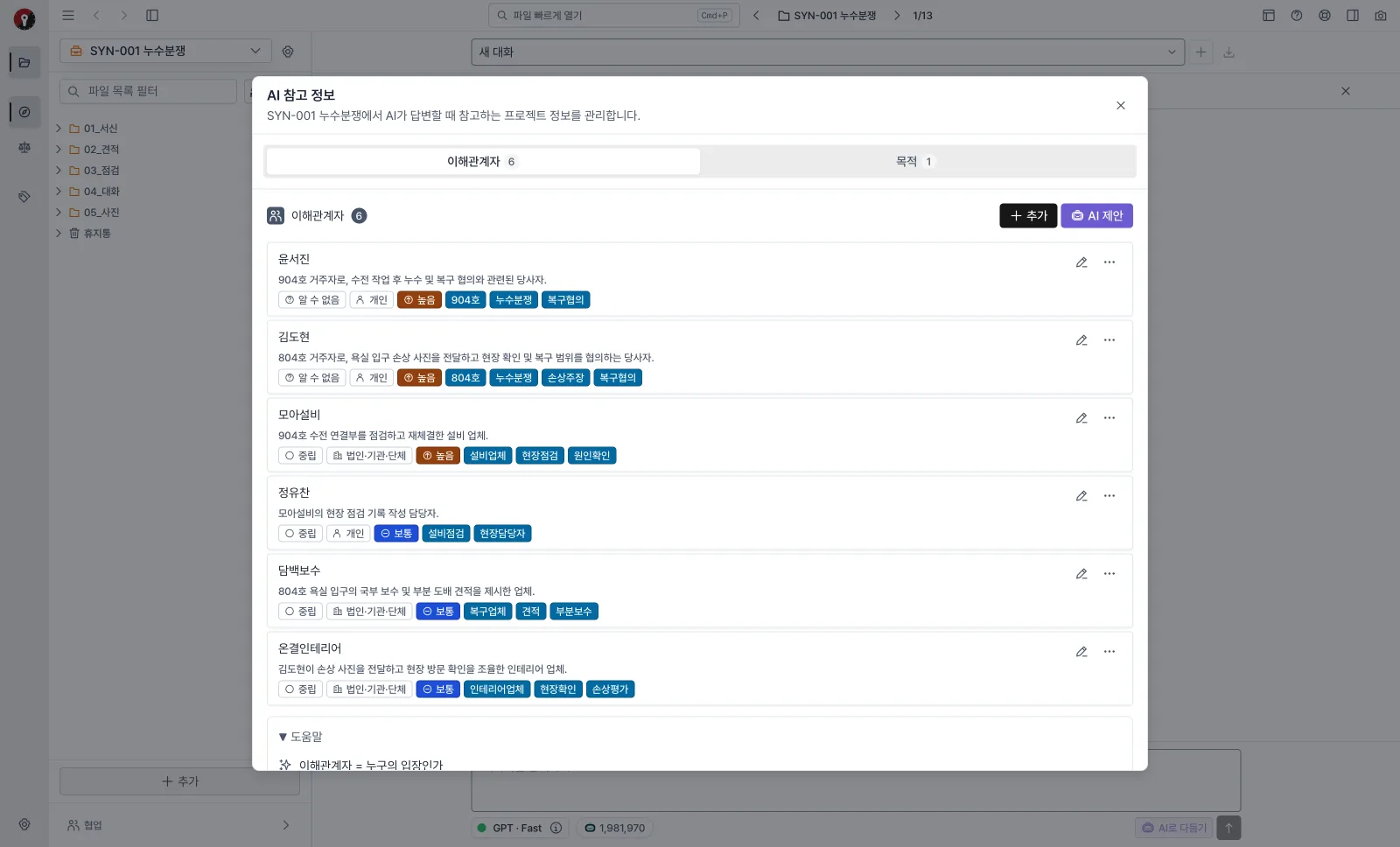
AI会从案件资料中找出利害关系人和案件目标并提出建议。确定我方、对方、第三人的立场以及"驳回请求"等目标后,后续的回答和初稿都会贴合这一背景。也能减少混淆名称相近的当事人。
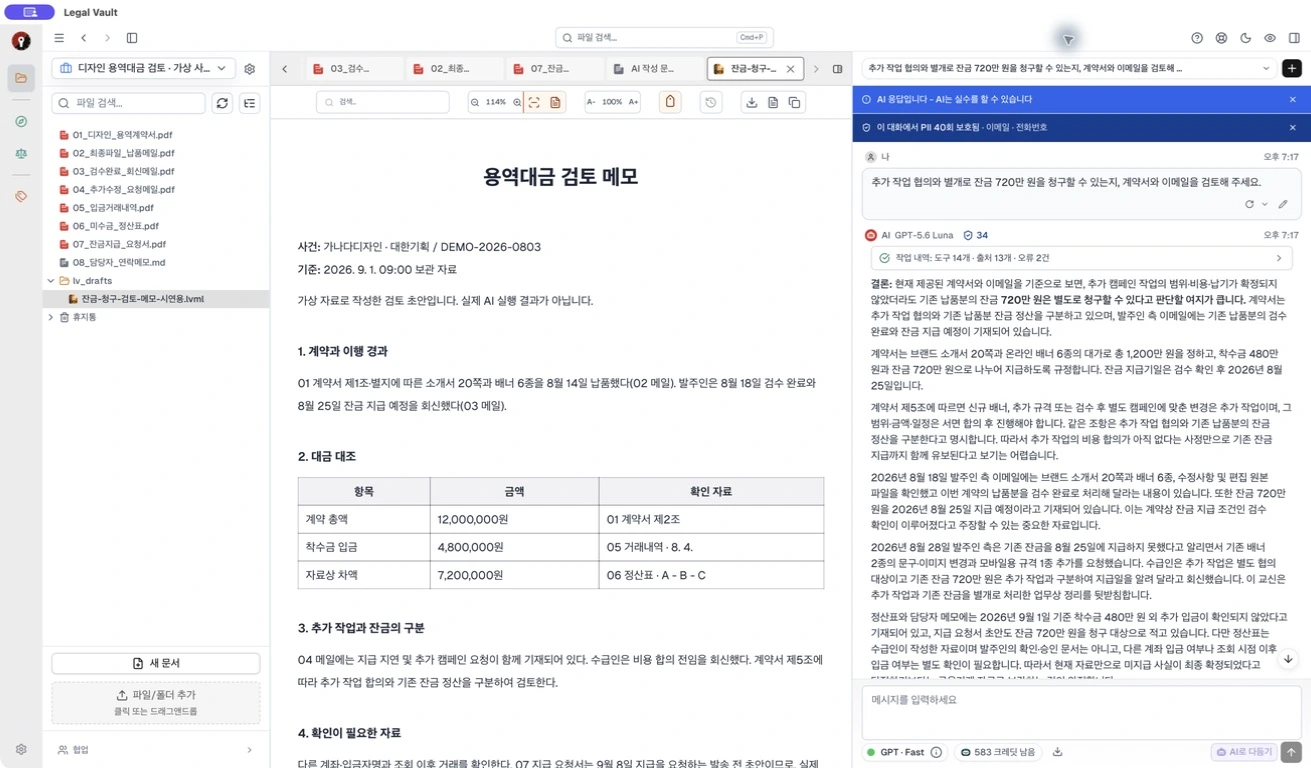
在调研案件资料和法规之后,按用途撰写意见书、书状和审查备忘录。进度按步骤显示,中断后也可以接着写。

不知道如何提问?使用聊天输入框中的 AI 润色功能改进提示词。发送前可检查、修改结果,或恢复原文,再自行发送。需要云端方案和点数。
实际桌面输入框 · 虚构问题 · 优化前 · 点击放大

对AI建议的修改逐段接受或拒绝。定稿可导出为DOCX和PDF。
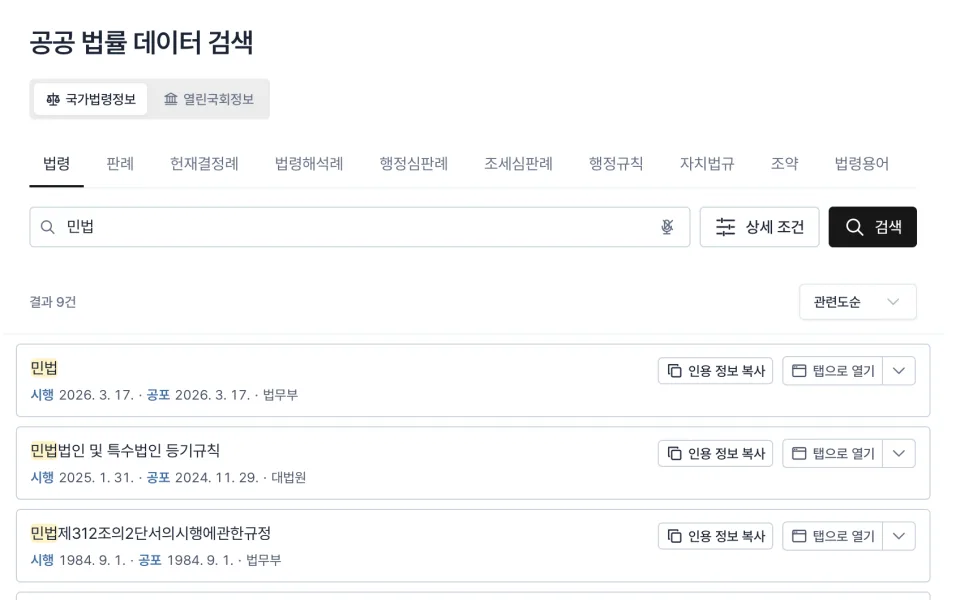
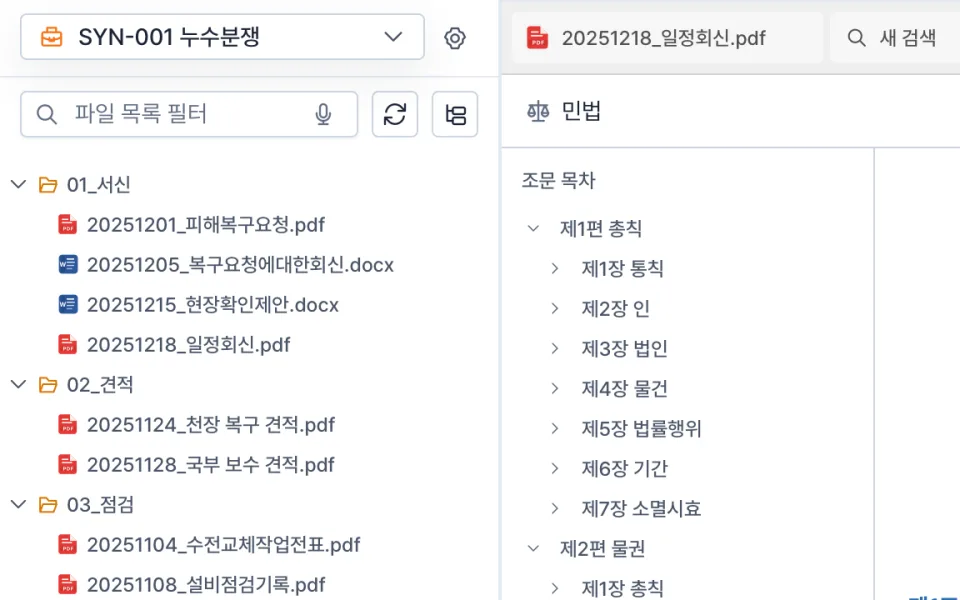
在应用内查找并阅读韩国国家法令信息中心的法规和判例,也可作为AI回答的依据。
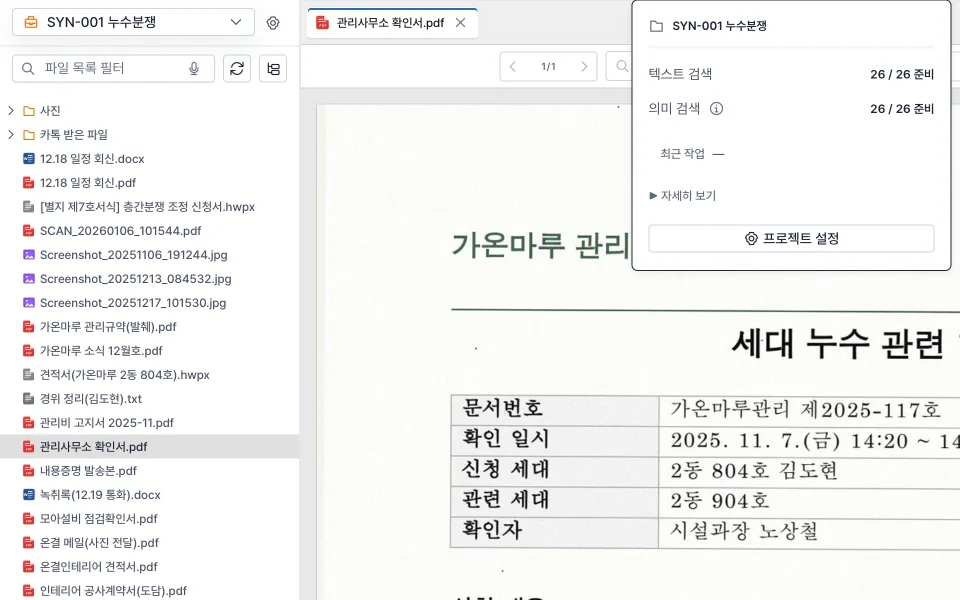
将电脑上的文件夹连接为案件项目。添加或修改文件后,检索索引会自动更新。
无需其他程序即可打开PDF、HWP·HWPX、DOCX、Excel、PPT、邮件(EML)、压缩文件、图片、音频和视频。
Cloud AI
依据项目中关联的案件资料、法律法规和判例,向Cloud AI提问并起草法律文书。
敏感信息保护
在需要云端 AI 的工作中,发送前会先检测个人信息候选项,由您确认是否脱敏后再发送,从而降低敏感信息暴露的风险。
文档存储和语义搜索在设备上进行。
查看识别出的个人信息和脱敏预览。
确认并发送AI任务所需的内容。
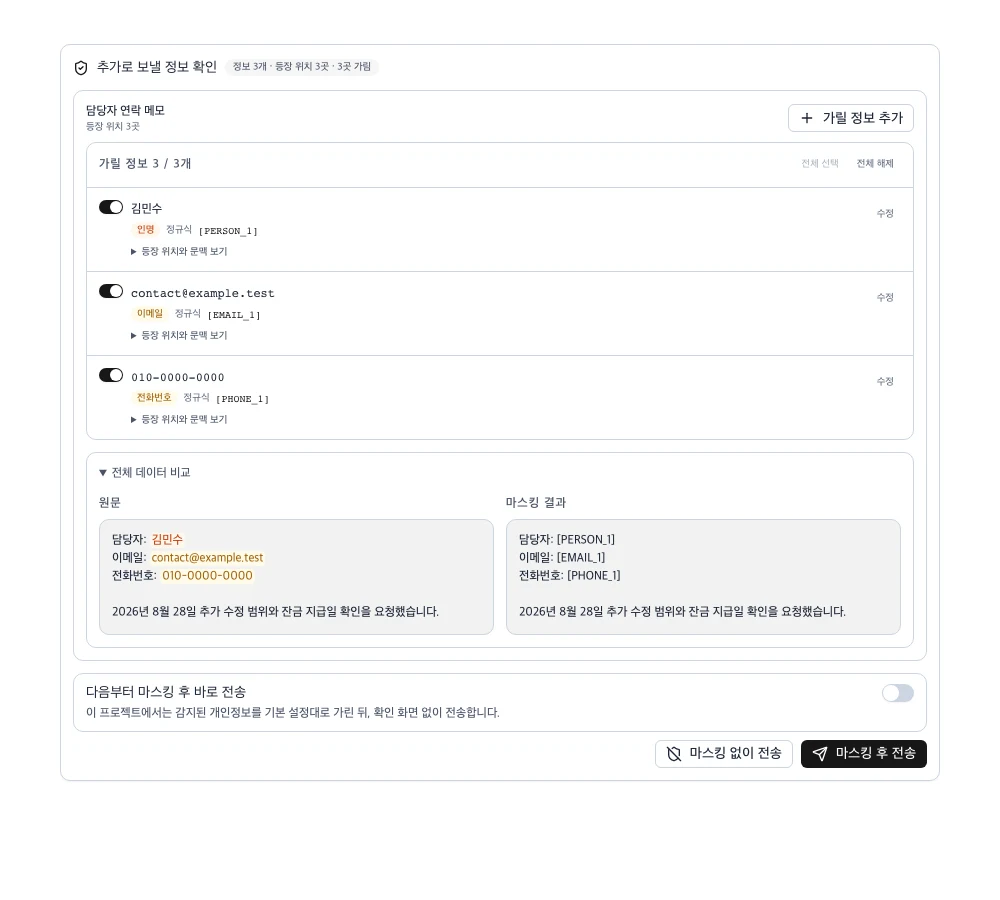 查看大图
从文件存储方式开始不同
存储和搜索文档,无需将原始文件上传至服务器。Legal Vault连接电脑上的文件夹,在本机管理文档和搜索索引。
在我的电脑上存储和搜索
AI仅处理所需内容
原始文件和搜索索引保存在电脑上,仅在您同意后,将AI任务所需的最少数据发送到外部服务器。
文件存储 + AI处理
将文件副本上传到外部服务器,由AI根据服务器中保存的文件进行处理。
减少原始文件的外部副本,可以降低对服务器访问权限、保留期限和删除政策的依赖。文档存放在哪里、谁能访问,由您直接管理。